Video Live App
Publisher Description
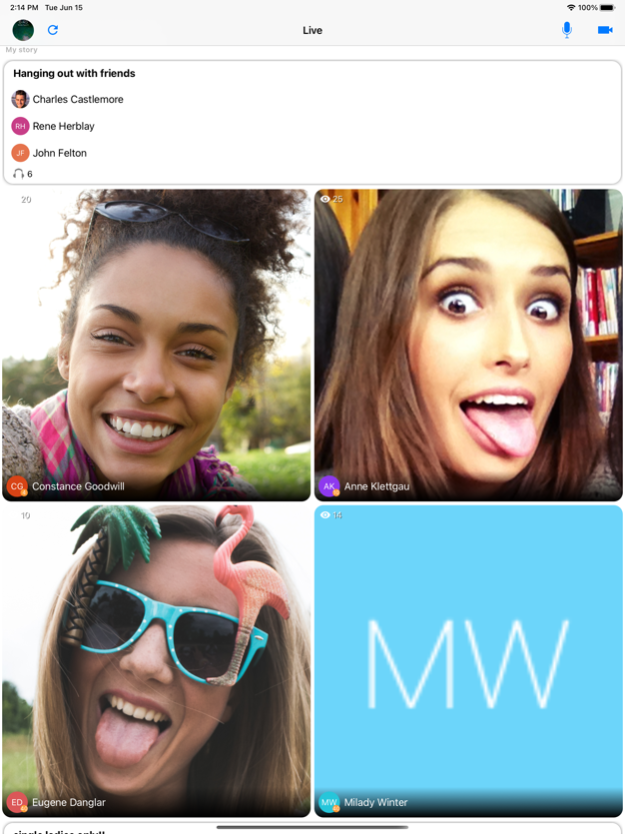

Welcome to VIdeo Live app! Watch streams, create audio rooms, receive gifts and gain fans.
Socialize in group video and audio chats and live streams with up to 8 people.
VIDEO LIVE PREMIUM MONTHLY SUBSCRIPTION
- You can subscribe to remove ads from Video Live, get 25Gb of cloud storage and start your own video live streams.
- Subscriptions are billed monthly at the rate selected depending on the subscription plan.
- Subscriptions auto-renew at the cost of the chosen package, unless cancelled 24-hours in advance prior to the end of the current period. The subscription fee is charged to your iTunes account at confirmation of purchase. You may manage your subscription and turn off auto-renewal by going to your Account Settings after purchase. Per Apple policy, no cancellation of the current subscription is allowed during active subscription period. Once purchased, refunds will not be provided for any unused portion of the term.
Privacy Policy: https://videoliveapp.com/policies/terms_of_service.html
Terms of Service: https://videoliveapp.com/policies/privacy_policy.html
About Video Live App
The company that develops Video Live App is Baby Penguin. The latest version released by its developer is 1.0 .
To install Video Live App on your iOS device, just click the green Continue To App button above to start the installation process. The app is listed on our website since 2025-03-10 and was downloaded 11 times. We have already checked if the download link is safe, however for your own protection we recommend that you scan the downloaded app with your antivirus. Your antivirus may detect the Video Live App as malware if the download link is broken.
How to install Video Live App on your iOS device:
- Click on the Continue To App button on our website. This will redirect you to the App Store.
- Once the Video Live App is shown in the iTunes listing of your iOS device, you can start its download and installation. Tap on the GET button to the right of the app to start downloading it.
- If you are not logged-in the iOS appstore app, you'll be prompted for your your Apple ID and/or password.
- After Video Live App is downloaded, you'll see an INSTALL button to the right. Tap on it to start the actual installation of the iOS app.
- Once installation is finished you can tap on the OPEN button to start it. Its icon will also be added to your device home screen.
